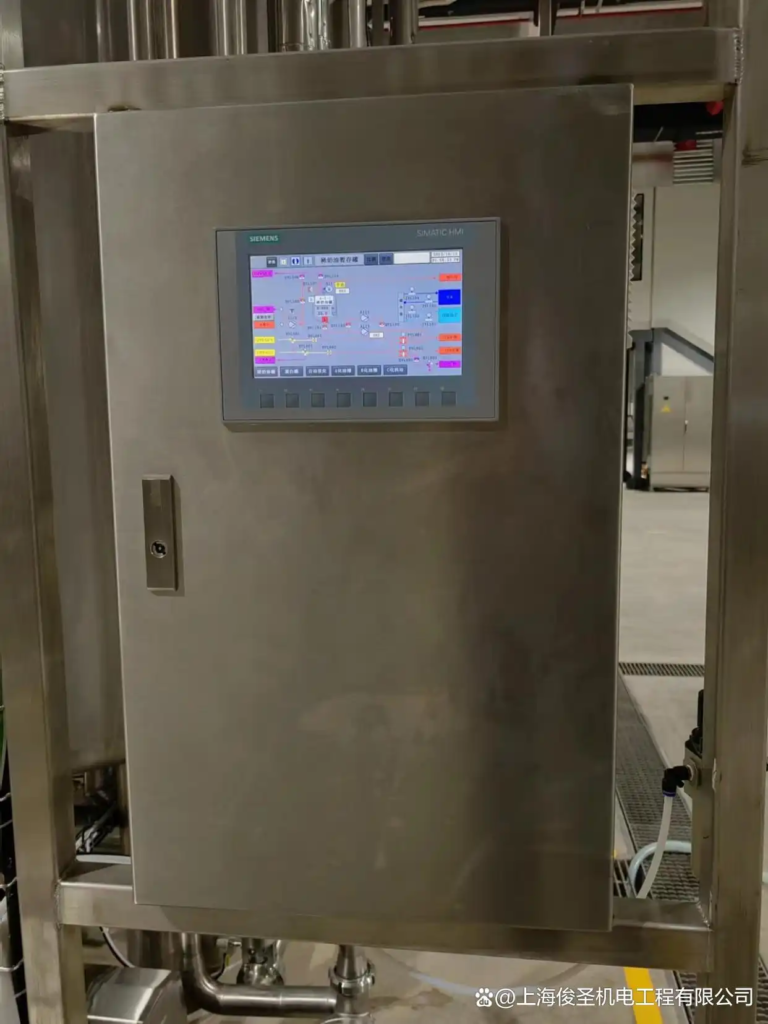
Daily maintenance of PLC control cabinets is essential to ensure their stable operation in environments such as chemical production. It mainly includes appearance inspection, internal inspection, functional testing, software maintenance, etc. The following are the specific contents:
Appearance inspection
Cabinet inspection: Check whether the control cabinet is deformed, damaged, or corroded, whether the cabinet door can be opened and closed normally and closed tightly, and whether the door lock is effective, so as to ensure that the cabinet can provide good protection for the internal equipment.
Identification inspection: Confirm whether the identification and nameplate on the control cabinet are clear and complete, including information such as equipment name, model, parameters, etc., and whether various warning signs are obvious for easy identification and operation.
Indicator inspection: Check whether the indicator lights in the cabinet and on the panel are working properly, such as power indicator lights, operation indicator lights, fault indicator lights, etc. The operation status of the equipment can be preliminarily judged according to the status of the indicator lights.
Internal inspection
Cleaning treatment: Open the control cabinet regularly (usually every quarter or half a year), and use clean compressed air or a soft brush to remove dust and debris inside to prevent dust accumulation from affecting heat dissipation and causing electrical short circuits. Focus on cleaning the dust on the surface of components such as PLC modules, power modules, and relays.
Connection check: Check whether the connection wires, power lines, signal lines, etc. of each electrical component are firmly connected, and whether there are loose, falling off, oxidation, overheating and discoloration. For parts with screw connections, use tools to tighten them properly; for plug-in connections, check whether the plugs and sockets are in good contact.
Component inspection: Check whether the PLC module, power module, relay, contactor and other electrical components are damaged, overheated, smelly, discolored and other abnormal phenomena, check whether the capacitor is bulging, leaking, whether the resistor is burnt, etc., and replace them in time if problems are found.
Function test
Input and output test: Check whether the input point of the PLC can correctly receive the signal through manual operation or analog signal input, and whether the output point can normally control external devices such as motors and valves. You can use tools such as multimeters to measure the voltage, current and other parameters of the input and output signals to ensure that they are within the normal range.
Communication function test: Check whether the communication between the PLC and the host computer, other PLCs or intelligent devices is normal, check the status of the communication indicator light, and whether there are problems such as data transmission errors or interruptions. If necessary, the reliability of the communication function can be verified by sending and receiving test data.
Control function test: Combined with the production process, perform functional tests on the key equipment and process flow controlled by the PLC to check whether the control logic is correct, whether the control parameters are appropriate, and whether the equipment is running stably. For example, check whether the control loops such as temperature, pressure, and flow can control the parameters within the set range.
Software maintenance
Program backup: Back up the PLC program regularly (such as monthly or quarterly), and store the program in an external storage device or computer to prevent the program from being lost or damaged due to unexpected circumstances.
Program check: Check the running status of the PLC program, check whether there are error codes or abnormal alarm information, analyze the execution of the program, and whether there are logical errors or dead loops. For complex programs, the monitoring function of the programming software can be used for detailed inspection.
Software update: According to changes in production processes and equipment upgrade requirements, the PLC software should be updated and upgraded in a timely manner to ensure that its functions meet production requirements. Before updating the software, back up the original program and conduct sufficient testing to prevent the new program from introducing new problems.
Environmental inspection
Temperature and humidity monitoring: Check the temperature and humidity of the environment where the control cabinet is located to ensure that it is within the working requirements of the PLC control cabinet. The general temperature is 0℃-55℃ and the humidity is 5%-95% RH without condensation. If the ambient temperature is too high, consider adding a cooling fan or air conditioner; when the humidity is too high, use a dehumidifier.
Power supply inspection: Measure whether the voltage and frequency of the input power supply of the control cabinet are stable and within the range allowed by the equipment. The general industrial power supply voltage is AC 380V±10% and the frequency is 50Hz±1Hz. At the same time, check whether the waveform of the power supply is normal and whether there is any interference such as harmonics.