
The following are methods for debugging and maintaining the PLC control cabinet:
- Debugging
Hardware inspection:
Before debugging, first conduct a comprehensive inspection of the hardware of the PLC control cabinet. Check whether the cabinet structure is firm, whether the electrical components are installed correctly and firmly, and whether the wiring is accurate.
Confirm whether the power supply is normal, check whether the power supply voltage meets the requirements, and whether the grounding is good.
Check the installation and connection of the PLC module, input and output module, communication module, etc. to ensure that there is no looseness or poor contact.
Software configuration:
According to the control requirements, perform software configuration on the PLC. Including setting the PLC model, communication parameters, input and output addresses, etc.
Download and install the PLC programming software, write the program according to the control logic, and compile and download it to the PLC.
Configure the human-machine interface (HMI) so that it can communicate with the PLC and display the operating status and parameters of the system.
Functional test:
After the hardware and software configuration is completed, perform a functional test. Test each input signal one by one to see if it can be correctly read by the PLC, and whether each output signal can correctly control the corresponding actuator.
Test the logical control functions of the system, such as sequence control, timing control, counting control, etc., to ensure that the system can operate according to the predetermined logic.
Perform analog input and output tests to check whether the acquisition and output of analog signals are accurate.
System joint debugging:
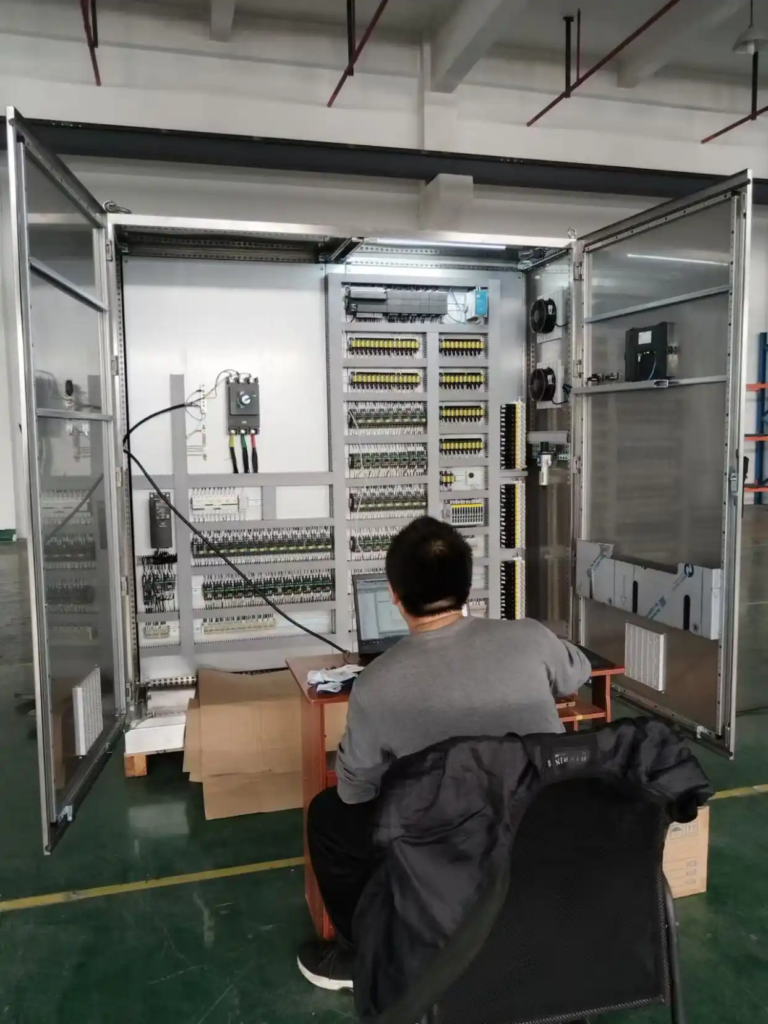
After the functional test is completed, perform system joint debugging. Connect the PLC control cabinet to the controlled object to debug the overall system.
Test the performance and stability of the system in the actual operating environment, and check whether there are interference, communication failures and other problems.
According to the actual operating conditions, optimize and adjust the system to ensure that the system can meet the control requirements.
- Maintenance
Daily maintenance:
Clean the PLC control cabinet regularly, remove dust and debris inside the cabinet, and keep the cabinet clean and well ventilated.
Check the working status of electrical components, such as whether the indicator light is normal, whether the relay has abnormal sound, etc. If problems are found, deal with them in time.
Check whether the terminal is loose, and tighten it in time if it is loose.
Check the operating status of the PLC, such as CPU usage, memory usage, etc., to ensure that the PLC runs normally.
Regular maintenance:
Back up the PLC regularly to prevent program loss or damage. The backup can be stored in an external storage device, such as a USB flash drive, hard disk, etc.
Regularly inspect and maintain electrical components, such as checking whether the contacts of the contactor and relay are worn, and checking whether the protection function of the circuit breaker is normal.
Upgrade and maintain the PLC software, and update the PLC firmware and programming software in time to improve the performance and stability of the system.
Fault handling:
When a PLC control cabinet fails, it should be handled in time. First, determine the fault phenomenon and analyze the cause of the fault.
Take appropriate measures according to the cause of the fault. If it is a hardware fault, you can replace the damaged electrical components; if it is a software fault, you can modify the program or re-download the program.
After the fault is handled, the system should be fully tested to ensure that the system can operate normally.
Safety precautions:
During debugging and maintenance, strictly abide by the safety operating procedures to ensure personal safety and equipment safety.
When operating electrical components, first cut off the power supply and take appropriate safety measures, such as grounding and discharge.
It is strictly forbidden to perform wiring, plug and unplug modules, etc. under power to avoid electric shock accidents.

