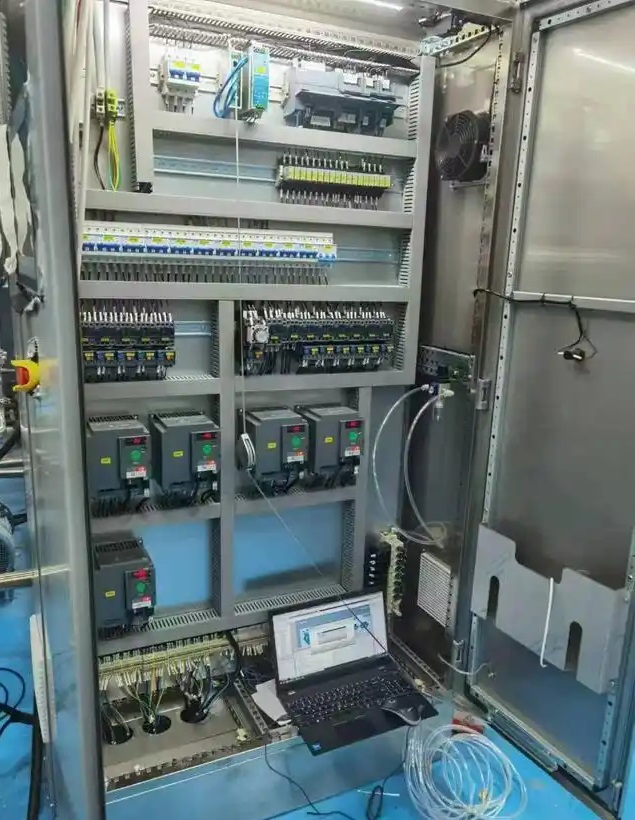
Siemens S7-1200 PLC has a variety of functions and uses. The following is a detailed introduction:
Function
Logic control function: It has a wealth of bit logic instructions, such as contact instructions, coil instructions, reset instructions, edge instructions, etc., which can easily realize logical operations such as AND, OR, and NOT, and can process various switch signals to complete logical control tasks such as motor start and stop control, manual and automatic switching of equipment, and fault alarm.
Data processing function: It supports a variety of basic data types and complex data types, and has instructions such as data movement, comparison, shift, and conversion. The collected data can be analyzed, processed, and calculated, such as converting analog input signals into actual physical quantity values, and performing statistical analysis on data in the production process.
Timing and counting function: It provides timer and counter instructions to achieve precise timing control and counting functions. In industrial production, it can be used to realize the timing start, stop, and periodic action control of equipment, as well as count the production quantity, pulse signals, etc.
Analog processing function: By matching with analog input and output modules, the acquisition and output control of analog signals can be realized, and the continuously changing analog signals such as temperature, pressure, flow, and liquid level can be converted into digital signals for processing, and analog signals can be output according to the control requirements to control the regulating valve, inverter and other equipment to achieve precise control of the physical quantity in the production process.
Motion control function: Support small motion control systems, can realize the position, speed and torque control of stepper motors and servo motors, and can be used to realize material handling and positioning control in automated production lines.
Communication function: Integrated PROFINET communication port, supports multiple communication protocols, such as S7 communication, open user communication (TCP, UDP, ISO on TCP, etc.), Modbus TCP, etc., can communicate with other PLCs, HMIs, host computers, intelligent devices, etc., to achieve data exchange and collaborative work. Other communication interfaces, such as RS485, RS232, etc., can also be expanded through communication modules to meet different communication needs.
Fault diagnosis function: With diagnostic function, it can monitor its own operating status, hardware faults and program errors in real time, and prompt users through corresponding indicator lights, alarm information, etc., so that users can find and solve problems in time, and improve the reliability and maintainability of the system.
Usage
Programming and configuration: Use Siemens’ TIA Portal programming software for programming and configuration. In the software, you can perform hardware configuration, configure the PLC’s CPU, signal module, communication module and other hardware devices, and you can also write user programs. Use the intuitive editor, drag-and-drop function and “IntelliSense” and other intelligent tools provided by the software to improve programming efficiency.
Program structure design: Using a variety of program structures, such as linear programming, modular programming and structured programming, complex control tasks can be decomposed into multiple functional blocks or organizational blocks to improve the readability, maintainability and scalability of the program.
Connect with external devices: According to the actual control requirements, select appropriate digital and analog input and output modules, connect external switches, sensors, buttons and other input devices to the digital input modules or analog input modules of the PLC, and connect the digital output modules or analog output modules of the PLC to output devices such as relays, contactors, control valves, and frequency converters to control external devices.
Network communication configuration: If network communication is required, perform communication configuration in the TIA Portal software, set communication parameters, establish communication connections, etc., to achieve data exchange and collaborative work between the PLC and other devices.
Debugging and running: After programming and configuration are completed, download and debug the program. Through the online monitoring function of the software, you can observe the running status of the program, the value of variables, etc. in real time, and promptly discover and modify errors in the program to ensure the normal operation of the system. During the actual operation process, you can also adjust and optimize the PLC program and parameters as needed.